Copy the video URL
Use the share link for a public video you are allowed to save.

Preview public Facebook video links and select a format when the source returns multiple options.
Paste a public link to inspect its media.
ClipSaved media guide
The video-focused page uses the same Facebook analyzer as the hub. It does not add restrictions to other valid Facebook URLs.
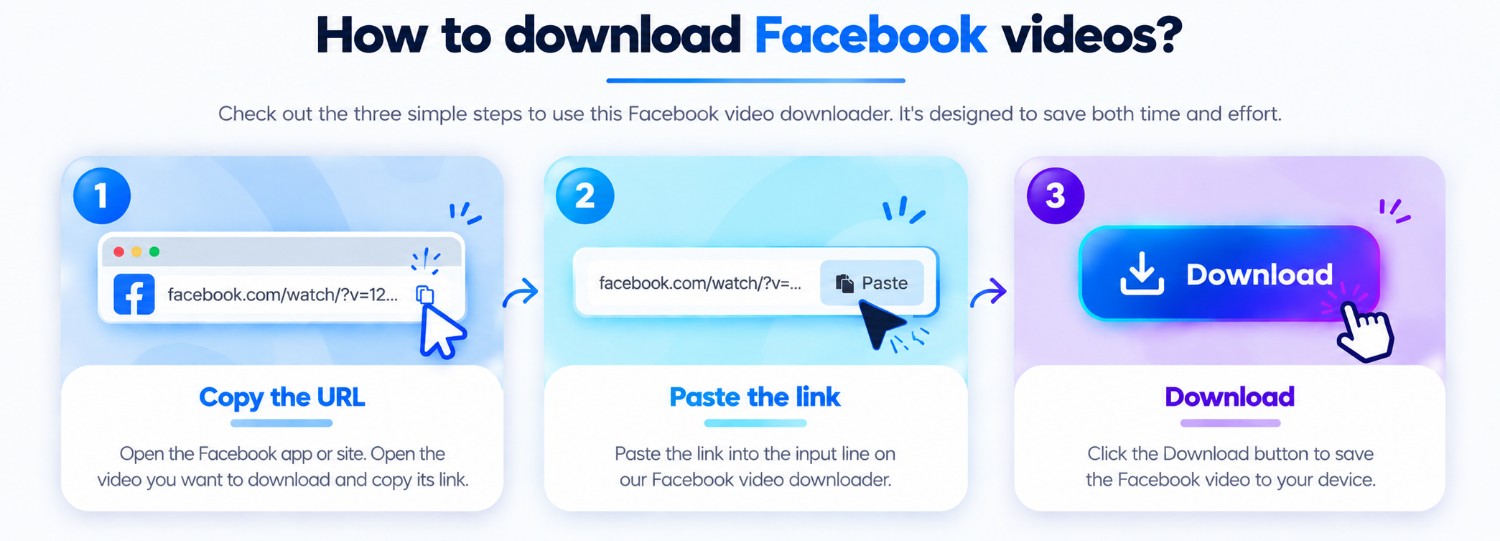
Three steps
Every guide uses the same ClipSaved analyzer and result controls.
Use the share link for a public video you are allowed to save.
Paste the URL above and wait for ClipSaved to inspect available media.
Preview the result and choose from the quality options the source provides.
ClipSaved features
Check the analyzed video before downloading.
The existing result controls expose multiple source formats when present.
ClipSaved does not upscale or guarantee a specific resolution.
Platform overview
Use the Facebook analyzer for a public post or Reel. The result depends on media and formats exposed by that specific link.
Preview public video links and select a returned quality when the source provides choices.
Public posts may return one or more images; returned items use the shared image gallery.
Facebook share URLs are validated and followed only through the existing public redirect checks.
Paste a link from a desktop or mobile browser. Preview and download controls use the same layout across screen sizes.
Private groups and login-only posts are not accessed. Facebook may limit public metadata or require an account for some posts.
Can I download Facebook videos in 4K?
Only if the public source returns a format at that quality; ClipSaved does not create higher resolutions.
Are private group videos supported?
No. Restricted or private content is not accessed.
Can I submit a Facebook Reel here?
Yes. Every valid supported Facebook URL uses the same analyzer.
Does ClipSaved permanently store media?
No. Media is streamed through the existing ClipSaved flow and is not permanently stored by the service.