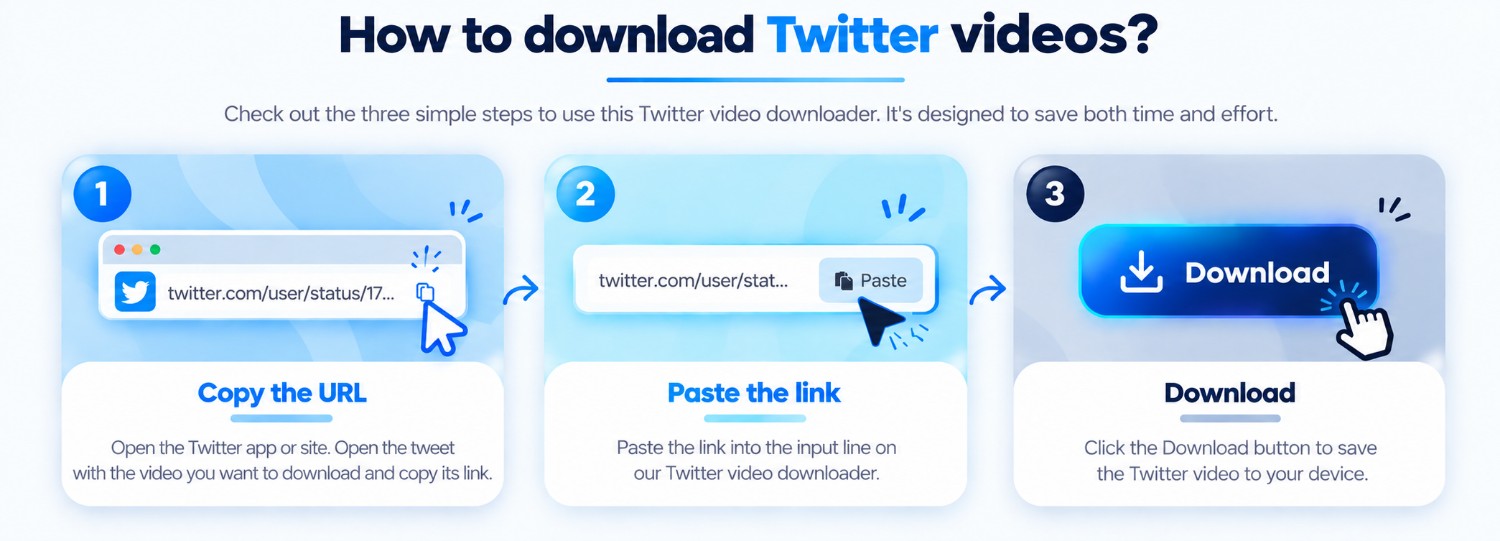
Copy a public post URL
Open an X or Twitter post you are authorized to access and copy its link.

Analyze a public X post and preview the video, image, or carousel media returned by the source.
Paste a public link to inspect its media.
ClipSaved media guide
A post can expose a video, an image, or several media items. ClipSaved displays the formats the source returns and keeps private posts out of scope.

Three steps
Every guide uses the same ClipSaved analyzer and result controls.
Open an X or Twitter post you are authorized to access and copy its link.
The same X analyzer handles video, image, and multi-item results.
Preview the media and select an available quality or image before saving.
ClipSaved features
The result UI supports source-returned video, image, and carousel items.
When multiple video formats are available, review them before downloading.
Private or restricted posts are not accessed or bypassed.
Platform overview
Analyze a public X or Twitter status URL to inspect its available video or image items. Both supported hostnames use the same X analyzer.
The result shows the public video formats returned by the post.
When the source returns multiple photos, the gallery keeps them in the original order.
Animated posts may be supplied as MP4 video. ClipSaved preserves the returned type rather than converting it to GIF.
Use X.com or Twitter.com links from any current desktop, tablet, or mobile browser.
Only public or otherwise authorized posts are supported. Protected posts and sign-in restrictions are not bypassed.
Which X links are supported?
Public X.com and Twitter.com post links can be analyzed when the extractor can access their media.
Does this work with Twitter and X URLs?
Yes. Both supported hostnames use the same X/Twitter analyzer.
Can a post contain multiple images?
When the source returns multiple images, the shared gallery preserves the returned items and order.
Does ClipSaved permanently store media?
No. Media is streamed through the existing ClipSaved flow and is not permanently stored by the service.