Copy a public video link
In TikTok, open a video you are allowed to access and copy its share link.

Analyze a public TikTok video link and review the video options returned by the source.
Paste a public link to inspect its media.
ClipSaved media guide
Use this TikTok downloader online to inspect a public video link and see available options. The dedicated video guide explains how to review source-returned formats and quality choices.

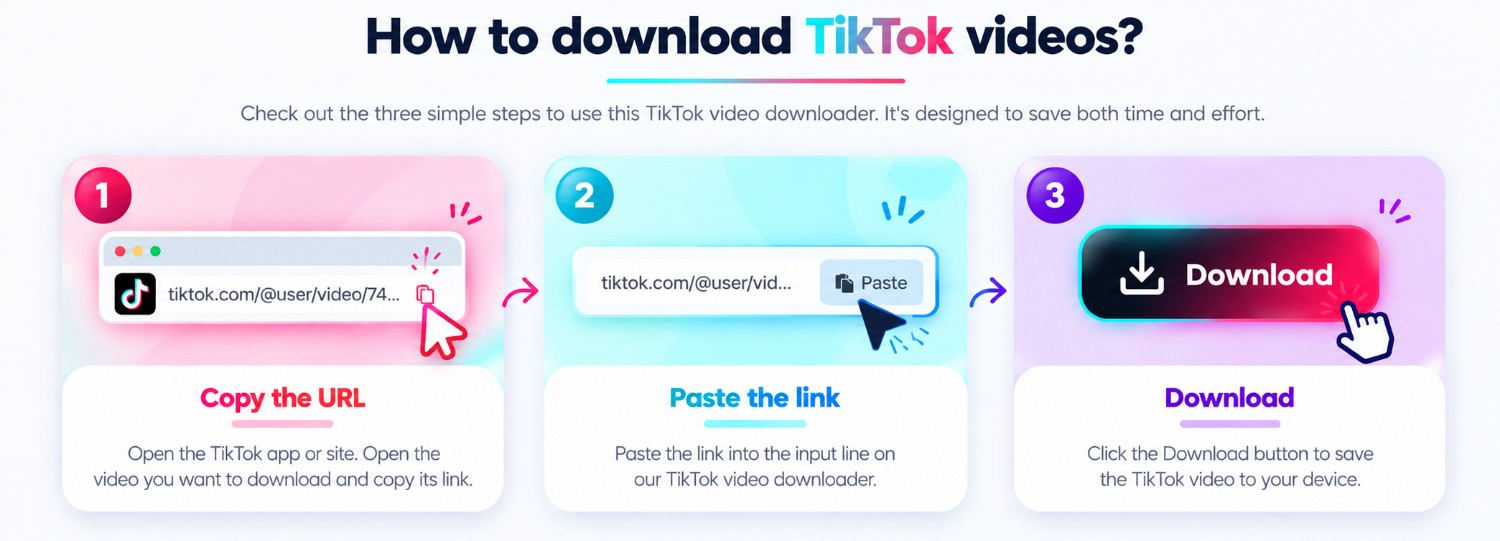
Three steps
Every guide uses the same ClipSaved analyzer and result controls.
In TikTok, open a video you are allowed to access and copy its share link.
Use the analyzer above. This landing route does not restrict the kind of valid TikTok video URL you submit.
Check the available result and choose a returned quality before streaming or downloading.
ClipSaved features
The hub links to the video guide and summarizes the analyzer’s public-link workflow.
This TikTok tool currently analyzes video links, not photo slideshows or story content.
Only public or authorized posts are supported; ClipSaved does not bypass account privacy.
Platform overview
ClipSaved analyzes public TikTok video links and shows the video formats available from that post. This TikTok tool currently focuses on videos rather than photo posts or slideshow conversion.
Paste a share URL for a public TikTok video that you are permitted to access.
Choose among formats supplied by the source; ClipSaved does not upscale video.
The existing video result may offer its source audio as a separate download option.
Use the analyzer in a current browser on desktop, tablet, or phone. The link and download controls adapt to narrow screens.
Only public or authorized videos are supported. ClipSaved does not promise watermark removal or bypass TikTok account privacy.
Which TikTok links can I use?
Public TikTok video links can be analyzed when they are accessible to the current extractor.
Does ClipSaved remove TikTok watermarks?
No watermark-removal feature is promised. ClipSaved presents the media formats returned by the source.
Can I choose video quality?
When the source returns multiple formats, the result provides the available video quality choices.
Does ClipSaved permanently store media?
No. Media is streamed through the existing ClipSaved flow and is not permanently stored by the service.