Copy an authorized Story link
Use a public Story URL or a link you are permitted to access.

Inspect public or authorized Snapchat Story links when the media is available to the extractor.
Paste a public link to inspect its media.
ClipSaved media guide
ClipSaved only processes Story media that is already accessible to the current analyzer. It does not sign in, bypass privacy, or retrieve friends-only content.

Three steps
Every guide uses the same ClipSaved analyzer and result controls.
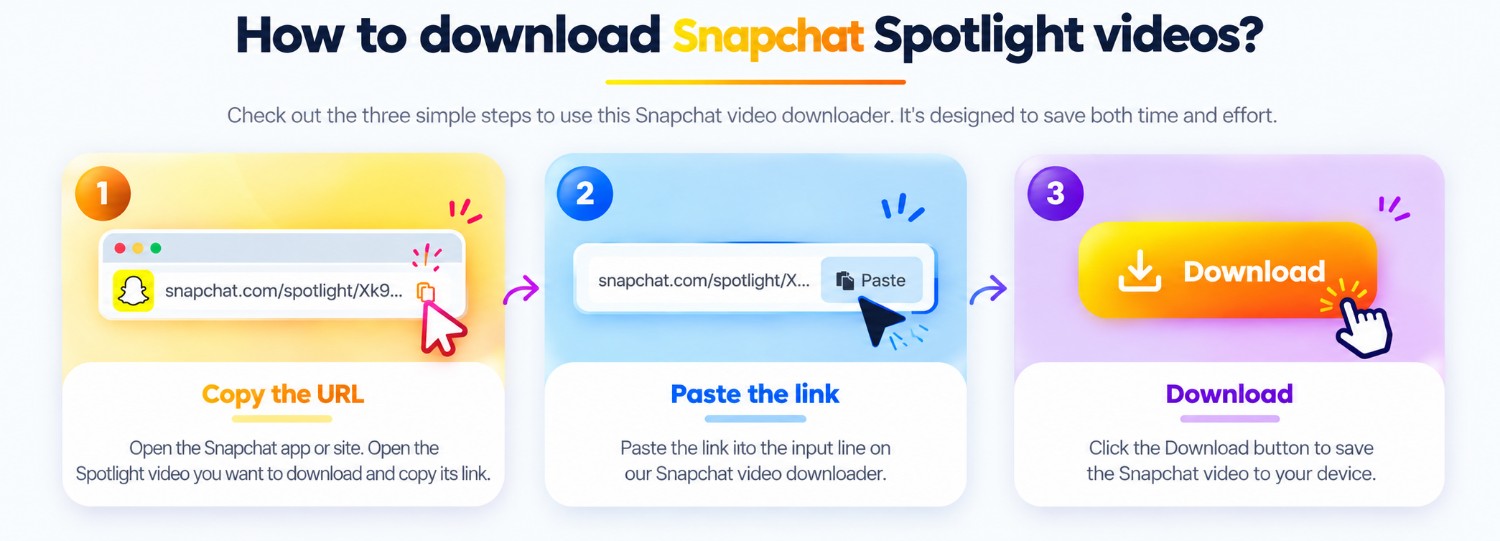
Use a public Story URL or a link you are permitted to access.
Paste the link into the Snapchat analyzer above.
If the source exposes media, preview and save the returned items.
ClipSaved features
Private Stories and login requirements are never bypassed.
The landing page does not introduce a separate API or special URL restriction.
Story availability can change; the analyzer reports what it can access now.
Platform overview
Snapchat links can resolve to different media types. ClipSaved displays only what the current source exposes and what the browser can play or display.
Paste a direct public link and review any source-returned video format.
If an accessible Snapchat link returns an image, the shared preview and download flow can display it.
A Story link works only if the post is public or you are authorized and the extractor can resolve it.
The responsive analyzer works in mobile and desktop browsers. A returned stream format may not play in every browser.
Private Snaps, friends-only Stories, and login-gated media are not bypassed. Expired or unavailable posts may return no media.
Can ClipSaved download a private Snapchat Story?
No. Only public or otherwise authorized media can be submitted.
Will every Story link return a result?
No. The source must expose media that the existing extractor supports.
Does the Story route use a different analyzer?
No. It uses the same Snapchat analyzer as the main page.
Does ClipSaved permanently store media?
No. Media is streamed through the existing ClipSaved flow and is not permanently stored by the service.